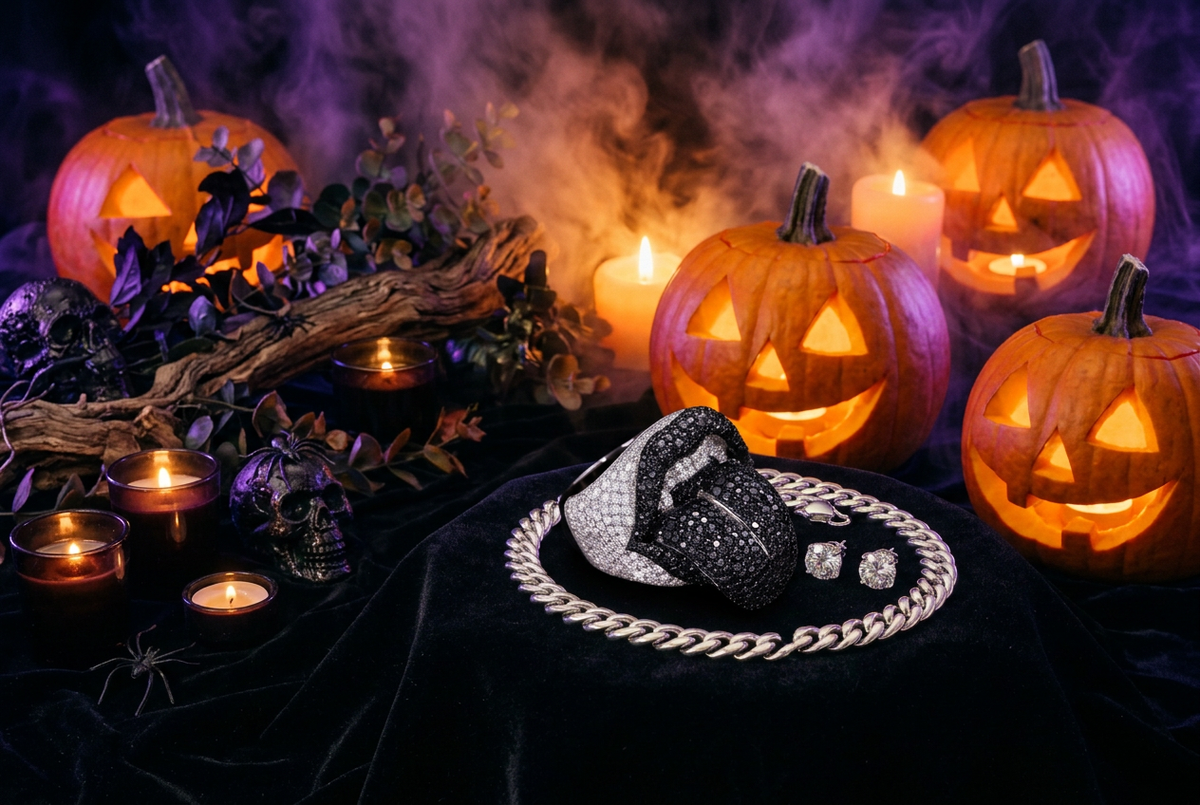
Some jewelry photos show every detail clearly, but it can be difficult to photograph moissanite fire and capture every color. Others reveal flashes of red, blue, green, and yellow as the piece moves.
Those rainbow flashes are known as fire. Moissanite can show this effect when light enters the stone and separates into different colors. Capturing it on camera takes the right combination of lighting, angle, movement, and exposure.
You do not need a professional camera to get started. A phone, a clean piece of jewelry, and a small directional light source can make a noticeable difference.
Start with Clean Jewelry and a Clean Lens
Before adjusting your lighting, check the basics.
Fingerprints, skin oils, and dust can dull the appearance of a stone or hide its finer details. Clean your jewelry according to its care instructions, then gently remove any remaining surface marks with a suitable soft cloth.
Give your phone’s camera lens a wipe, too. A smudged lens can turn bright reflections into a hazy glow instead of a crisp flash.
Check the jewelry again after positioning it. Handling a chain or bracelet can leave fresh marks just before you start recording.
Understand Fire, Sparkle, and Brightness
These effects are related, but they are not the same.
Fire refers to colored flashes caused by light dispersion. Sparkle describes the changing flashes you see as the jewelry, light, or viewer moves. Brightness is the overall return of light from the stones.
A photo can look bright without showing much rainbow color. A video can capture dramatic sparkle while making the details harder to see.
Decide what you want to show before you start. Capture a clear view of the design. Then, film a short sequence that reveals its fire.
Use a Small, Directional Light
Large, soft light sources are useful for showing the overall shape, metal finish, and setting details. They can create an attractive product image, but may produce less obvious fire than a small directional source.
For stronger flashes, try a compact LED light or direct sunlight entering through a window. Adjust the position so the light reaches the stones at an angle.
Start with one light rather than several. This makes it easier to see which position creates a clear flash and which simply produces a washed-out reflection.
Your phone’s flashlight can also be worth testing, but it is not guaranteed to give the best result. Its position close to the camera may create harsh reflections. If possible, use a separate light that you can move independently.
Find the Angle Before You Record
Keep your phone steady and slowly tilt the jewelry under the light.
Watch for brief moments when individual stones show color. Make small adjustments rather than large movements. The angle that produces a strong flash may be quite narrow.
Once you find a promising position, record a short clip with a gentle tilt or rotation. A slight movement is often enough to show the effect.
For a Cuban link chain, try a slow turn of the stand. Or, make a subtle change in the angle. For a bracelet, a relaxed wrist movement reveals flashes across stones.
Avoid shaking the jewelry. Fast movement makes it harder for the camera to maintain focus and for viewers to appreciate the design.
Lower the Exposure Slightly
Bright stones can easily become featureless white spots on camera.
Tap the jewelry on your phone screen to set focus. If your camera allows it, lower the exposure slightly until you can see more detail in the bright areas.
The goal is not to make the entire scene dark. It is to protect the highlights so the colored flashes are easier to distinguish.
Check the metal and the stones together. If the jewelry looks dull or disappears into the background, you may have reduced the exposure too far.
Lock Focus When Possible
Autofocus can struggle with small, reflective surfaces. It may jump between the jewelry, your hand, and the background.
If your phone supports focus lock, set it on the jewelry before recording. Then keep the piece at roughly the same distance from the camera as you move it.
Avoid getting closer than your camera can focus. A slightly wider, sharp shot usually looks better than an extreme close-up that keeps drifting out of focus.
Start with the main rear camera and avoid heavy digital zoom. If your phone has a macro mode, compare the results rather than assuming it will always give the clearest image.
Choose a Simple Background
A plain background helps small flashes stand out.
Charcoal, gray, or another understated surface can work well with bright, silver-colored jewelry. A matte finish is useful because it adds fewer competing reflections.
A darker background may make sparkle appear more noticeable, but it does not create fire. The lighting and angle still do the main work.
Avoid busy patterns, reflective props, and strong background colors that distract from the stones or introduce unwanted color casts.
Keep Some Ambient Light
A dark room with one intense light produces dramatic flashes. However, it may hide the rest of the jewelry.
For a balanced result, keep soft ambient light in the scene. Use a small directional light to bring out flashes.
This combination can help viewers see the chain links, settings, and overall shape while still noticing the fire.
Test different levels. The right balance depends on the piece, your phone, and the look you want.
Use Slow Motion Selectively
Slow motion can help viewers notice a brief flash, but it is not always the best choice.
Some slow-motion modes need more light and may produce a darker or noisier image. Certain artificial lights can also cause visible flickering.
Record a normal-speed clip first. Then test slow motion under the same conditions and compare the results.
Use whichever version preserves the clearest jewelry detail and the most natural-looking movement.
Edit Lightly and Keep the Result Honest
A small exposure or white-balance adjustment can help a video look closer to what you saw in person.
Heavy saturation, sharpening, and sparkle filters can make it harder to judge the actual piece. Added star effects are not the same as naturally recorded fire.
Keep footage representative of the jewelry under your lighting. Show the piece in softer everyday light. Do not only use light that maximizes sparkle.
Viewers should be able to appreciate both the effect and the design.
Troubleshoot Common Problems
If the stones look bright but show little color, try a smaller light source and adjust its angle. A large soft light may be illuminating the piece evenly without revealing much fire.
If the stones appear as solid white spots, reduce the exposure or soften the intensity of the light.
If the image is blurry, clean the lens. Move the phone farther away. Stabilize your hands or use a stand.
If the video looks grainy, add more usable light rather than relying on the camera to brighten a dark scene.
If everything sparkles except the jewelry, simplify the background and remove reflective props.
Capture the Design, Not Just the Flash
The strongest jewelry content does more than chase a rainbow highlight.
Start with a clear view of the whole piece. Move closer to show the links and settings. Finish with a gentle movement under directional light to reveal the fire.
This sequence gives viewers a fuller understanding. They see the shape, the detail, and how stones respond to light.
Explore UCCIYO’s moissanite jewelry and try these techniques with your next close-up. Keep the movement simple, the lighting intentional, and the results true to the piece.